
Remository Update Authentication
Sorry, your download limit has been reached
Remository Update Authentication. This plugin replaces the need to enter your software update token into individual products, such as Remository or UserPoints. It will be installed along with new versions of Remository or UserPoints as they are released.
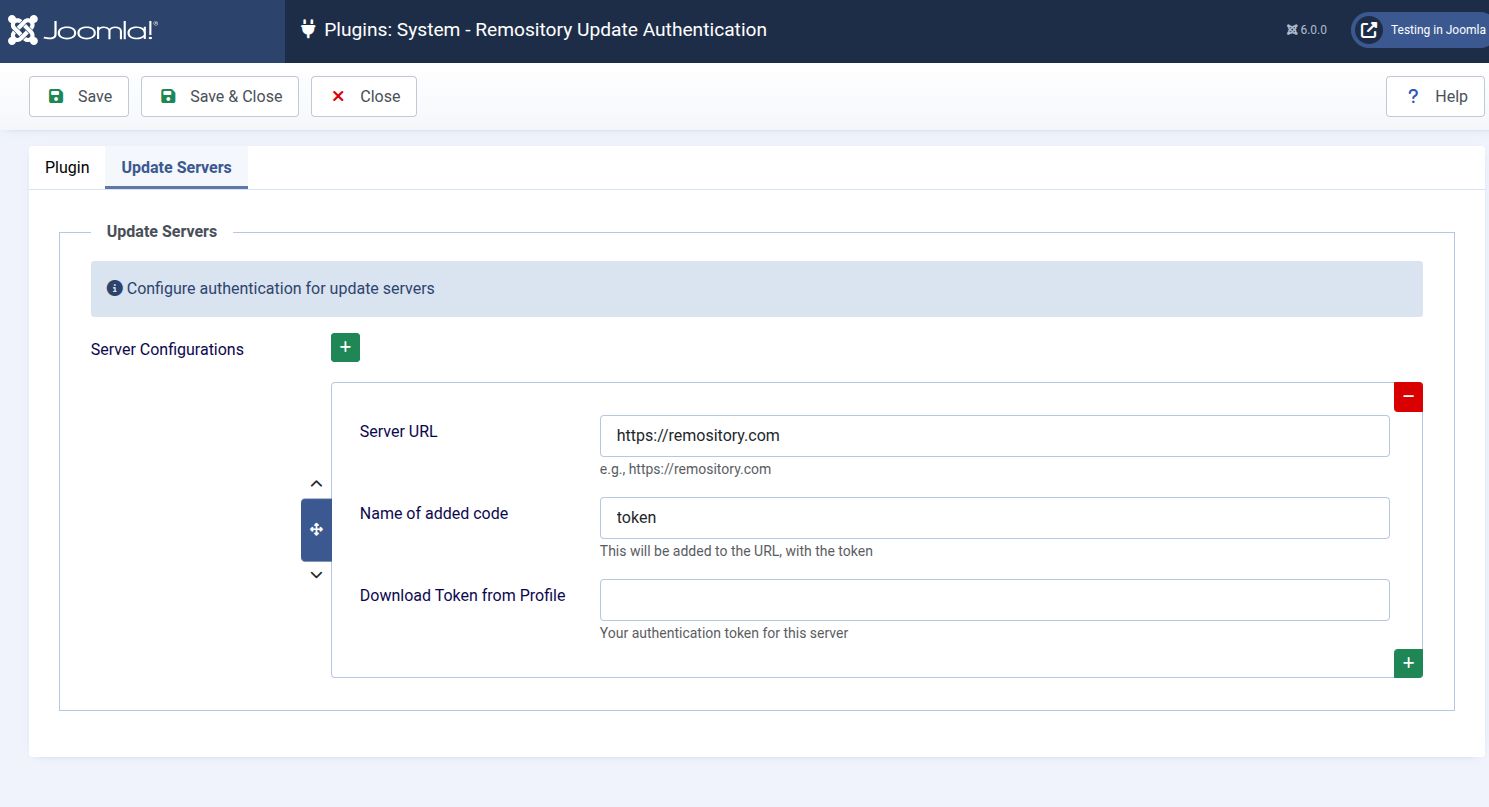
But to get things started, please download, install, activate and configure this plugin. It provides a universal mechanism that any software vendor could use. For our products, you need to create one set of entries - containing three fields. The first two will be correctly defaulted. The third field is your token - get it from the profile page at https://remository.com after you have logged in.
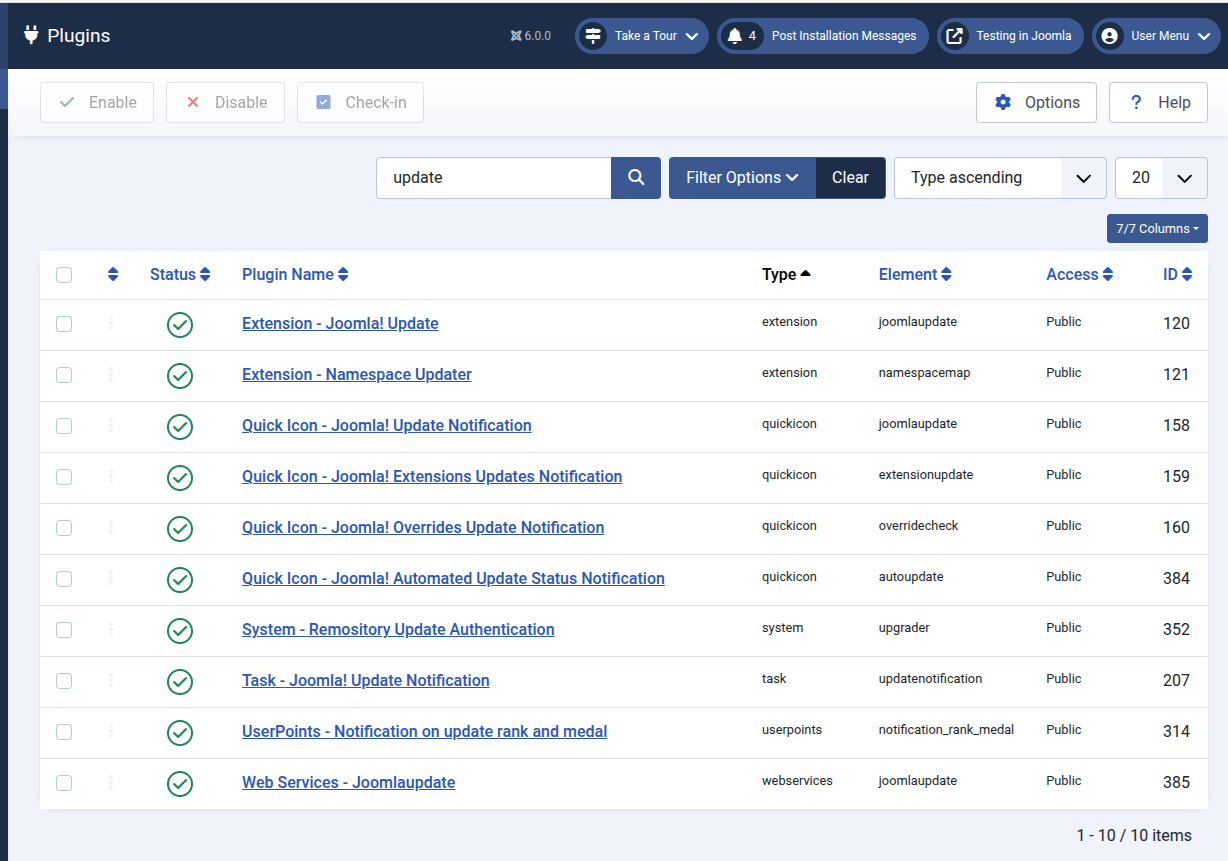
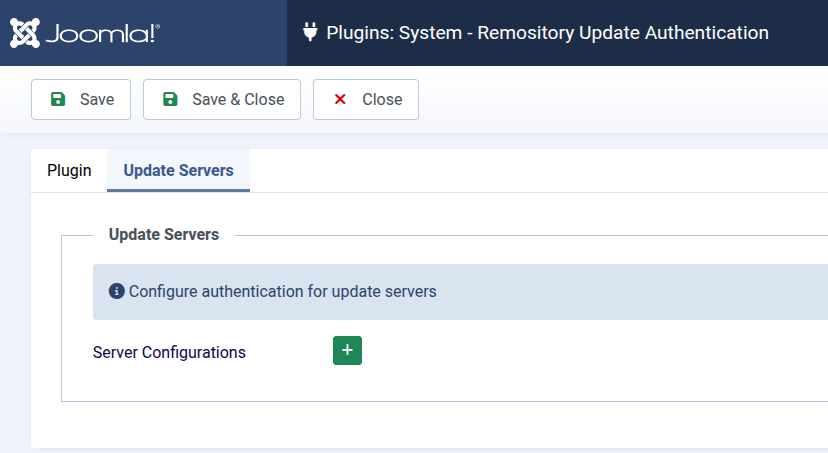
For more detail, please follow the steps shown in these screenshots:
- First go to manage plugins and select the Remository Update Authentication plugin
- Select the "Update Servers" tab and click on the plus sign (+) with green background
- One set of data is sufficient for all our products - the first two default correctly, enter your token in third and save
Please also install the Restful plugin - it does not require any configuration but must be enabled.
 (0/0)
(0/0)